
Barrierefreiheit & UX verbessern: Das neue navable WordPress Plugin ist da!
Im Jahr 2025/2026 ist Website Barrierefreiheit weit mehr als nur eine technische Pflichtaufgabe. Sie ist das Fundament für eine erstklassige User Experience (UX) und ein echter Booster für Dein SEO. Wer seine Website nicht barrierefrei gestaltet, schließt potenziell bis zu 20 % seiner Zielgruppe direkt aus.
Wir freuen uns, das navable Accessibility Widget für WordPress vorzustellen – der einfachste Weg, Deine Seite noch heute inklusiver zu machen.
Warum Barrierefreiheit gut für Dein Business ist
Website Barrierefreiheit zu verbessern bedeutet Wachstum:
✔ Bessere UX für alle: Ein optimierter Kontrast oder eine saubere Tastaturnavigation helfen nicht nur Menschen mit Einschränkungen, sondern auch Senioren oder Smartphone-Nutzern bei direktem Sonnenlicht.
✔ SEO-Vorteile: Suchmaschinen lieben strukturierte Daten. Viele Barrierefreiheits-Anpassungen (wie ARIA-Labels) helfen Google dabei, Deine Inhalte besser zu verstehen.
✔ Größere Reichweite: Du öffnest Deine digitale Tür für Millionen von Menschen, die auf assistierende Technologien angewiesen sind.
Hinweis: Das navable Widget ist ein Tool zur signifikanten Verbesserung der Nutzbarkeit und Zugänglichkeit. Es entbindet jedoch nicht von der eigenen Prüfpflicht und stellt keine Garantie für eine 100%ige rechtliche Konformität dar.
Kostenlos starten (Ohne Kreditkarte!)
Barrierefreiheit sollte für jedes Unternehmen machbar sein. Deshalb kannst Du sofort mit unserer Freemium-Version starten – völlig kostenlos und ohne Angabe von Zahlungsdaten.
Schritt-für-Schritt: So bindest Du das Widget in WordPress ein
Bist Du bereit, Deine Website auf das nächste Level zu heben? So geht's:
1. Installation
-
Melde Dich in Deinem WordPress-Dashboard an.
-
Gehe zu Plugins → Installieren.
-
Suche im Verzeichnis nach "navable Accessibility Widget".
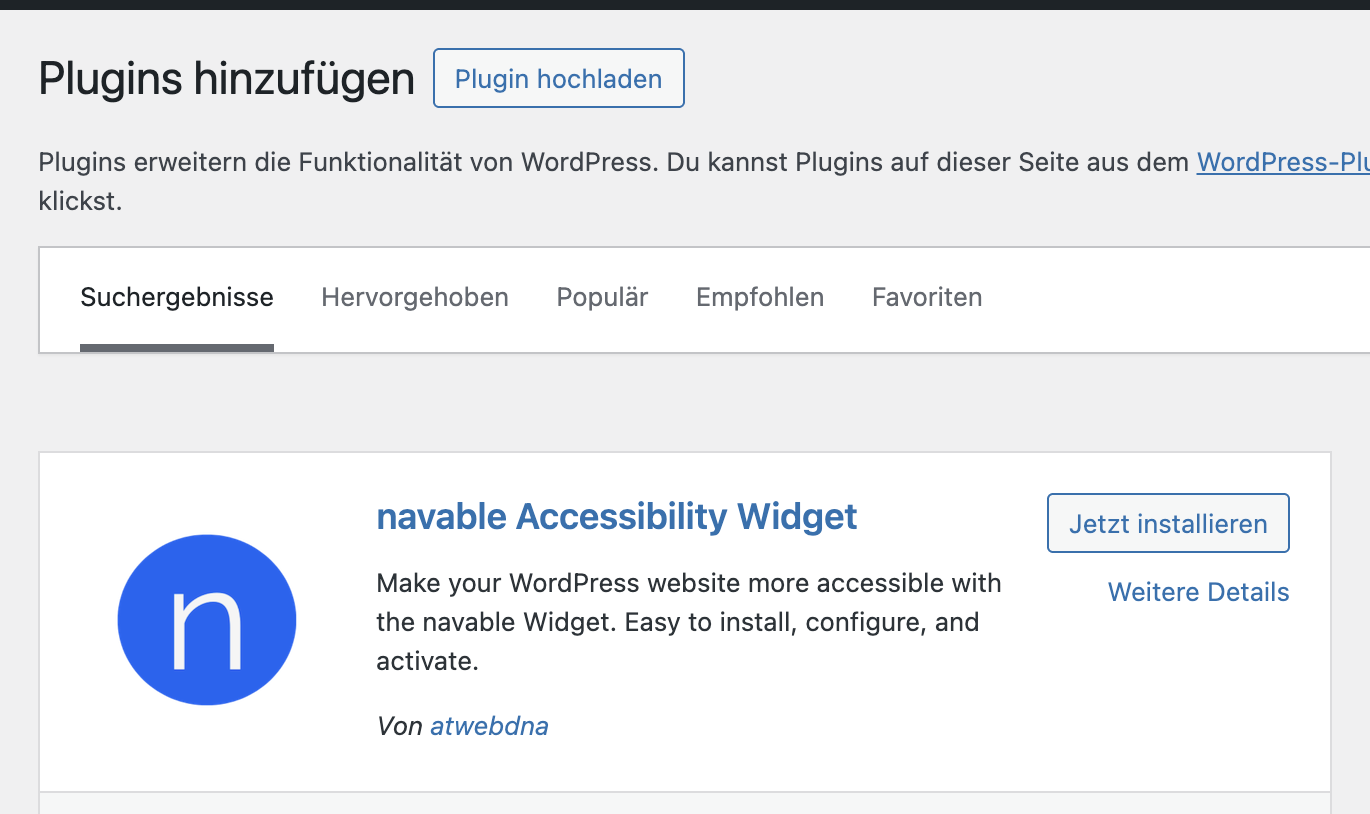
- Klicke auf Jetzt installieren und danach auf Aktivieren.
2. Konfiguration im Dashboard
Nach der Aktivierung findest Du die Einstellungen unter Einstellungen → navable Widget.
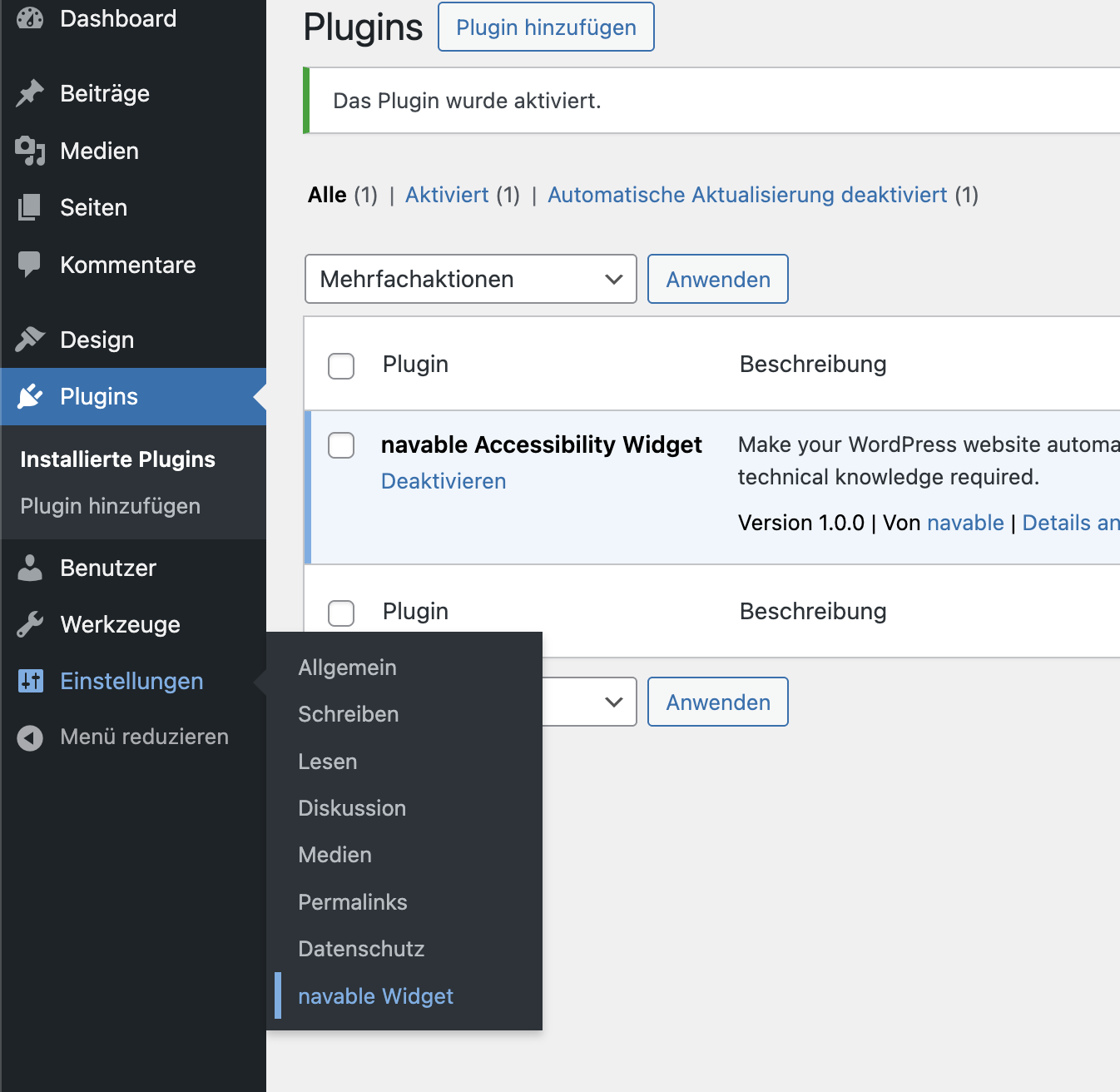
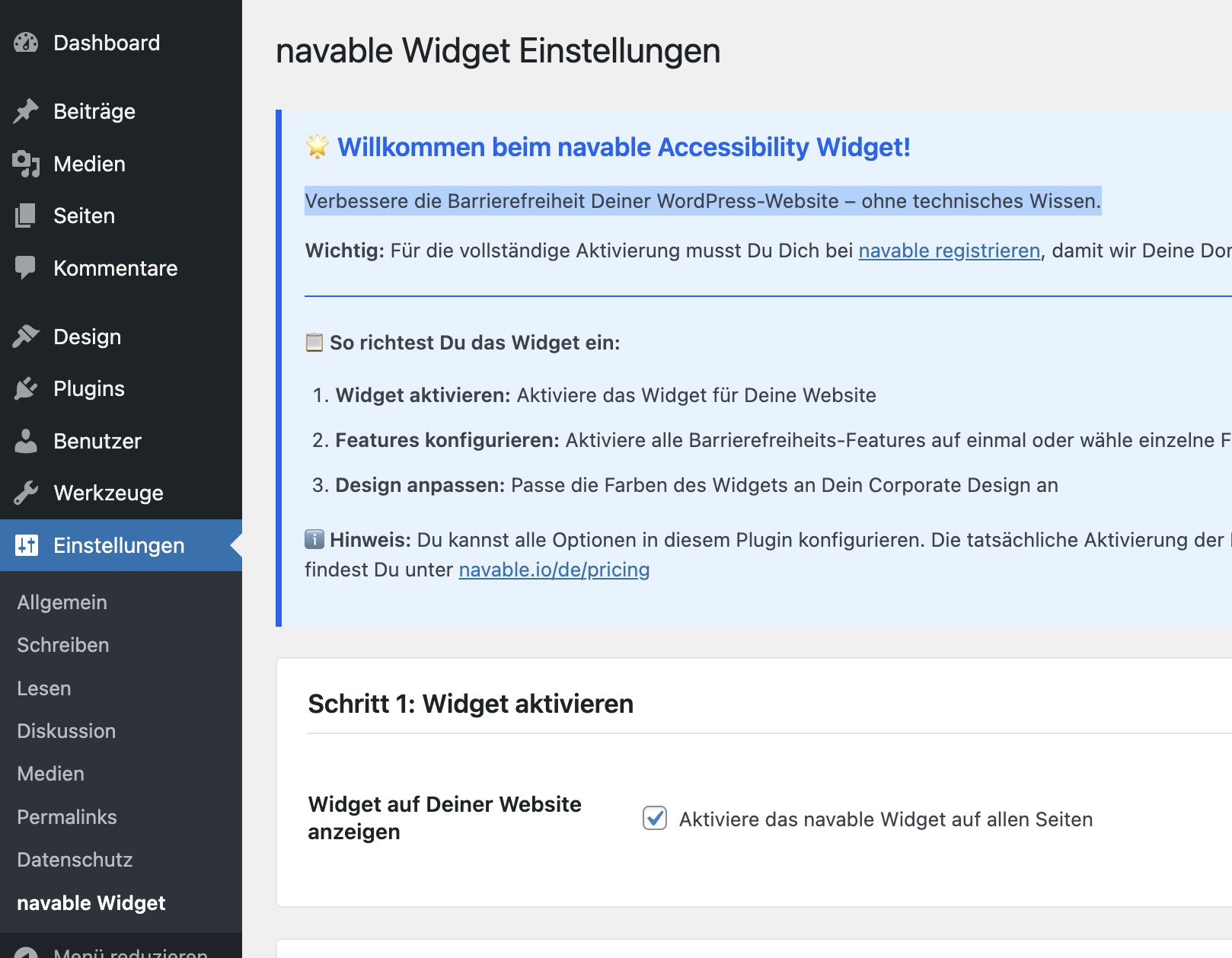
Schritt 1: Widget aktivieren: Setze den Haken bei "Aktiviere das navable Widget auf allen Seiten".
Schritt 2: Features konfigurieren: Aktiviere je nach Abonnement Funktionen wie:
-
Tastaturnavigation: Automatisches Setzen von Tab-Indizes.
-
Kontrast-Verbesserung: Automatische Anpassung für WCAG-konforme Lesbarkeit.
-
ARIA-Labels: Verbesserte Beschriftungen für Buttons und Eingabefelder.
Schritt 3: Design anpassen (Pro): In der Pro-Version kannst Du das Widget perfekt an Dein Corporate Design anpassen (Farben, Hintergründe, Texte).
3. Speichern & Domain verifizieren
-
Klicke unten auf Einstellungen speichern.
-
Wichtiger Abschluss: Registriere Dich unter navable.io/de/pricing.
-
Hinterlege Deine Domain nach dem Onboarding in unserem navable Dashboard. Nur so können wir Deine Website verifizieren und das Widget technisch freischalten.
📦 Zur offiziellen WordPress Plugin-Seite
Möchtest Du mehr über das navable Accessibility Widget erfahren, Nutzerbewertungen lesen oder die ausführliche Dokumentation einsehen? Besuche die offizielle WordPress Plugin-Seite:
👉 https://wordpress.org/plugins/navable-accessibility-widget/