From Compliance Risk to Accessibility Leadership
Common Challenges
- Legal requirements: BFSG compliance is mandatory for many organizations – without a proper solution, legal risk increases.
- Technical complexity: Many teams don't know where to start with WCAG compliance.
- Time and resource constraints: Marketing and product teams need fast, credible solutions without months-long projects.
Real Outcomes
- WCAG basics met fast: Automatic enhancements to ARIA, language, focus order, and more.
- Real usability gains: Personalization of fonts, colors, and reading modes – measurable user experience improvement.
- Progressive risk reduction: Incremental improvements lower liability while teams implement full accessibility.
Why navable Widget Stands Out
Unlike basic overlay widgets, navable makes real improvements to your code
Automatically adds missing ARIA labels
Sets language attributes correctly
Optimizes keyboard navigation
Progressive contrast enhancement
5-minute setup process
No coding knowledge required
Immediate accessibility improvements
Works with any tech stack
Customizable fonts and sizes
Contrast and color adjustments
Reading mode activation
Link highlighting options
Automatic Optimizations
Pro FeatureProfessional features that work behind the scenes
- Automatically adds ARIA labels to buttons and input fields where they are missing, making interactive elements accessible to assistive technologies
- Progressively improves contrast to enhance readability for all users
- Automatically sets the HTML lang attribute if it is missing, ensuring screen readers use the correct language
- Optimizes keyboard navigation, allowing users to navigate your website without a mouse
Note: Automatic optimizations via the widget are helpful, but do not replace a comprehensive analysis to ensure full accessibility.
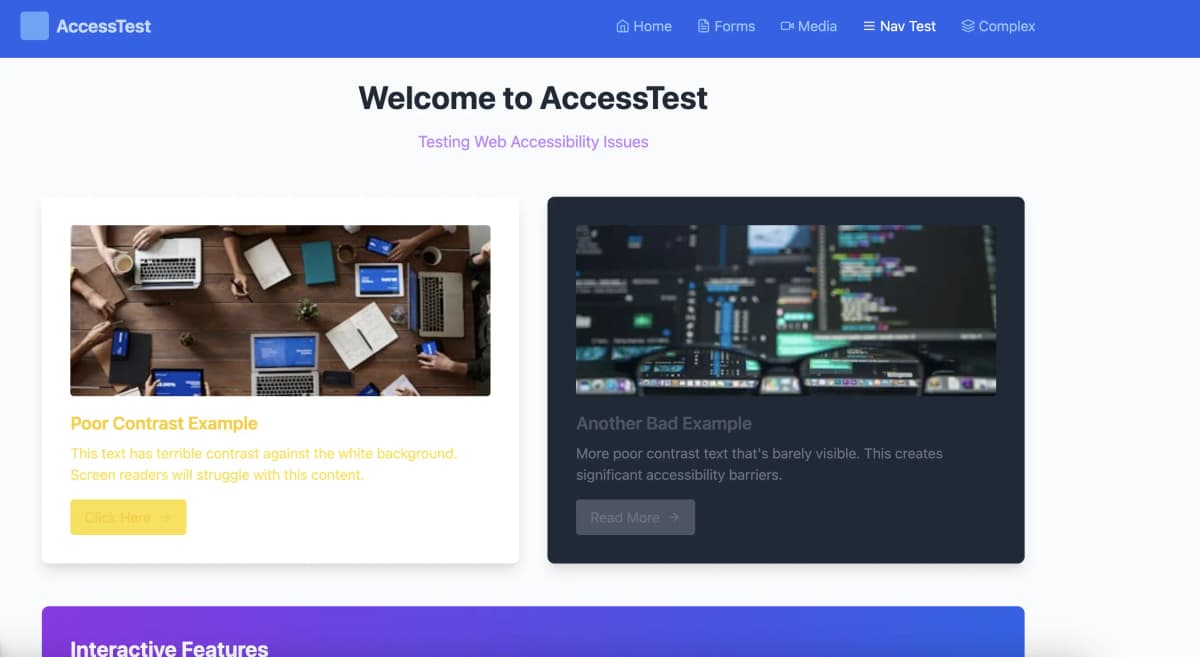
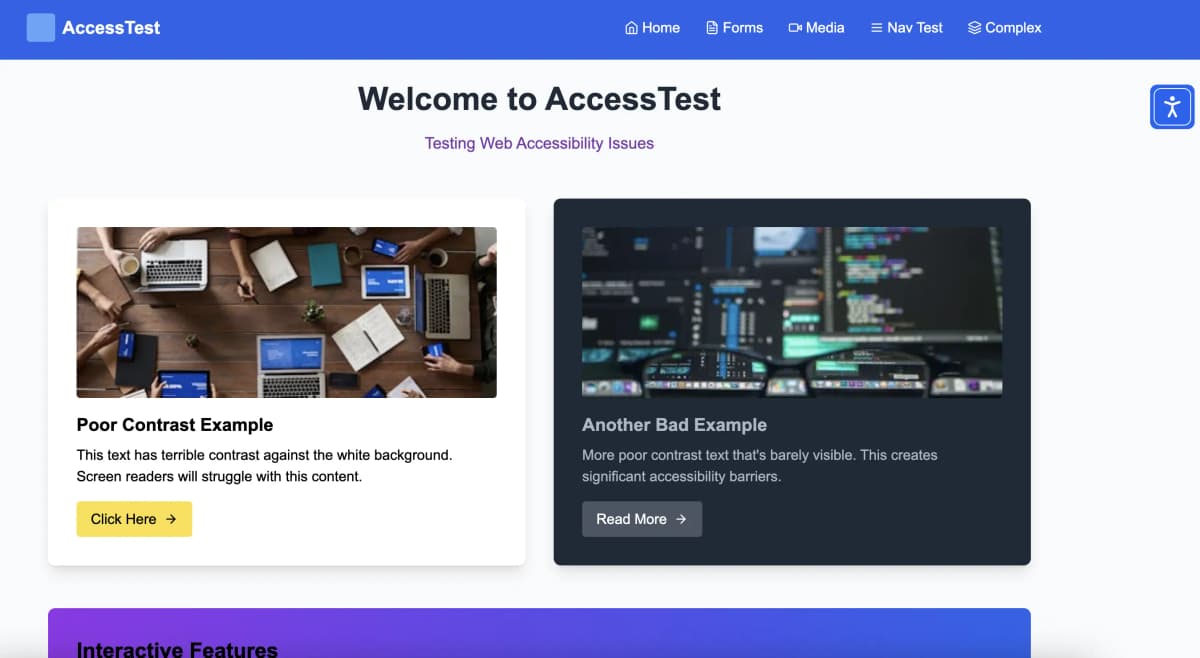
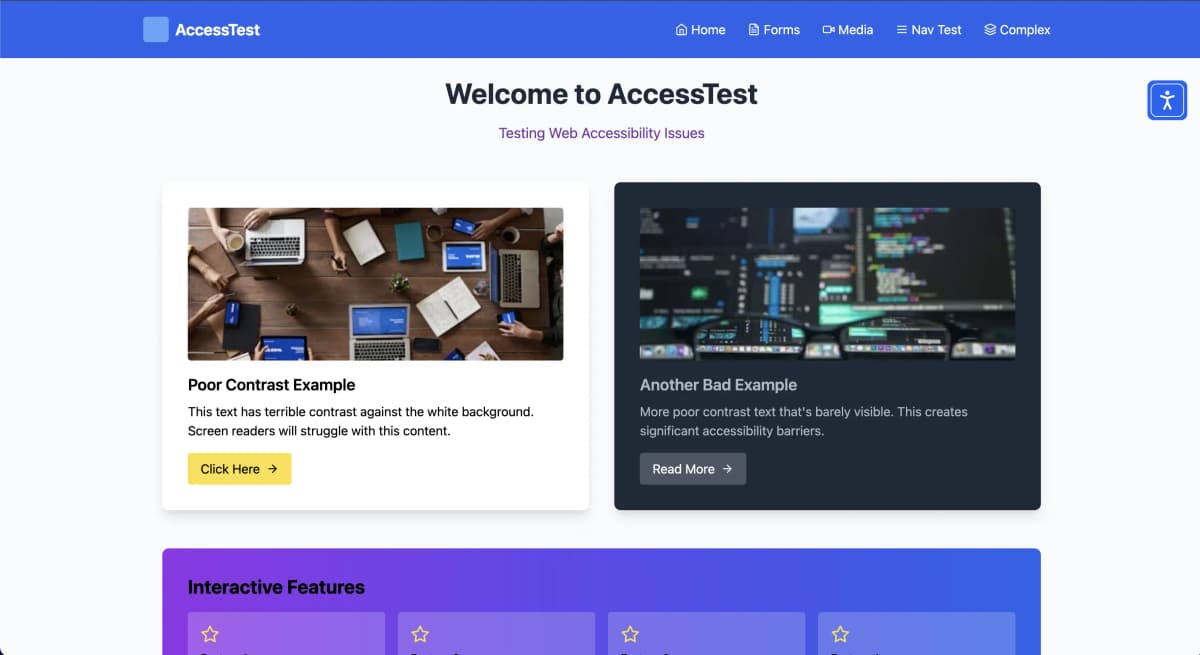
Real-World Example: Contrast Improvement
See how navable automatically enhances contrast for better readability
Common Issues
- • Poor contrast ratios
- • Missing ARIA labels
- • Keyboard navigation issues
- • Inaccessible forms
navable Improvements
- ✓ Enhanced contrast & readability
- ✓ Automatic ARIA labels added
- ✓ Full keyboard accessibility
- ✓ User personalization enabled
User Personalization Features
Give your users full control over their experience
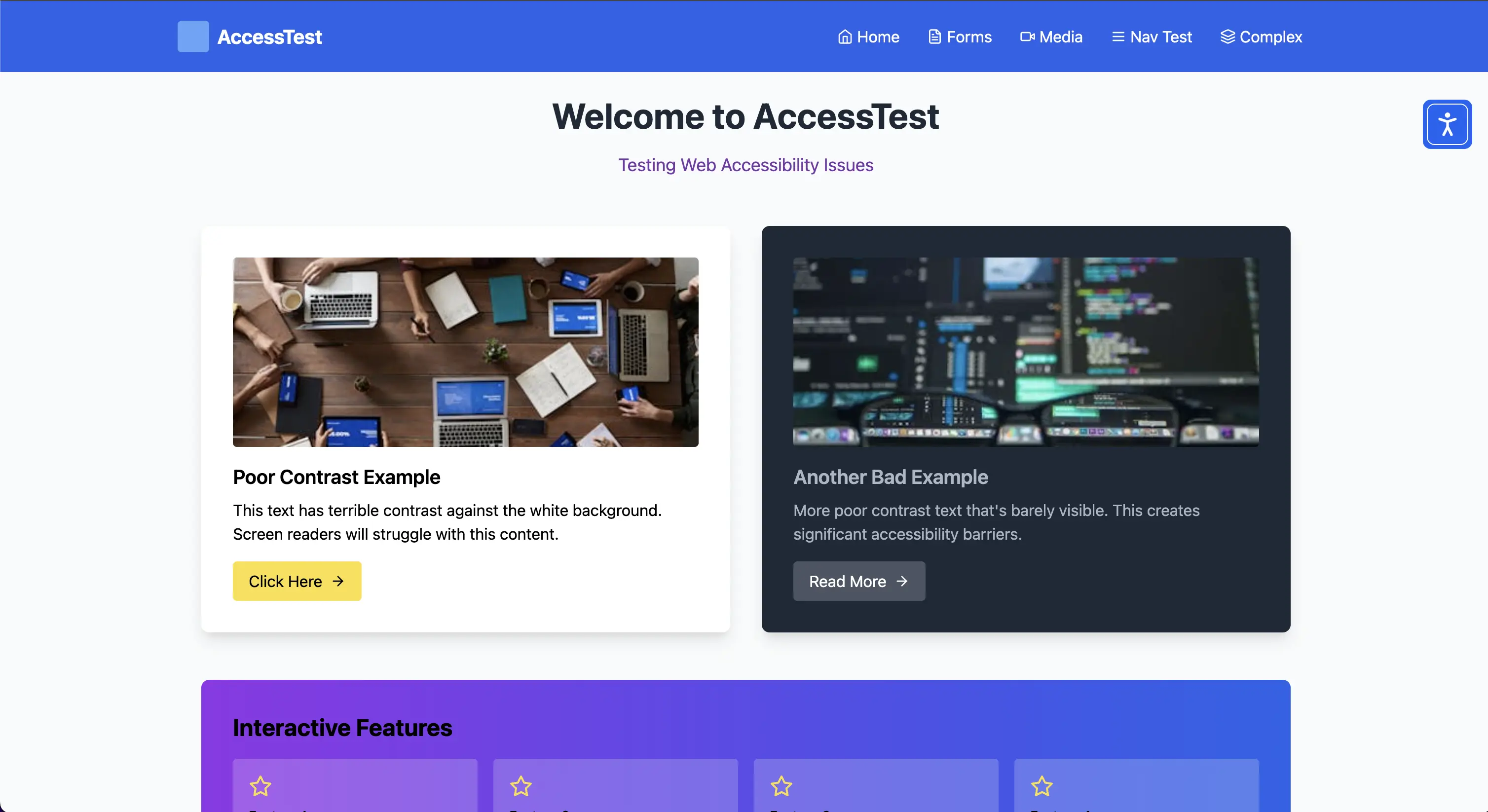
- Flexibly adjust fonts, font sizes, and line spacing
- Choose contrasts and colors according to personal needs
- Activate reading mode for relaxed reading
- Clearly highlight links for better orientation
- Hide distracting images, videos, and animations
Real accessibility means user choice. Our widget empowers every visitor to customize their experience.
Widget Demo in Action
See how users can personalize their experience
Easy Integration with Any Platform
Works seamlessly with your existing tech stack – comprehensive integration guides available






Modern & Lightweight Architecture
Built for performance and scalability
- < 50KB compressed bundle size
- Async loading with zero render blocking
- CDN-delivered with global edge caching
- Framework-agnostic implementation
- No performance degradation
- Works with any tech stack
- Scales to millions of users
- Enterprise-grade reliability
How It Works
Get started in 4 simple steps
1. Sign Up & Get Your Script
Create your account and receive your unique widget script immediately.2. Add Script to Your Website
Copy and paste the script into your website.3. Automatic Analysis Begins
The widget analyzes your site and applies automatic accessibility improvements.4. Users Can Personalize
Visitors can now customize their experience with our accessibility toolbar.
Simple, Transparent Pricing
Choose the plan that fits your needs
Freemium
Basic accessibility for everyone
Prices shown per month when subscribing for 1 year
- navable Widget
- Page visits: 5,000
- Number of supported pages: unlimited
- General
- Support: Community
Basic
For Single SMBs (7-day free trial)
Prices shown per month when subscribing for 1 year
- Everything in Freemium
- navable Widget
- Page visits: 100,000
- Automatic Progressive Accessibility Enhancements
- navable Audit
- Number of Audits per Month: 50
- On-Demand Scans
- AI Fix Prompts for IDEs
- navable Accessibility Statement AI Generator
- LLM (AI Model): Standard
- General
- Support: Email support
Pro
For Growing SMBs (7-day free trial)
Prices shown per month when subscribing for 1 year
- Everything in Basic
- navable Widget
- Page visits: 1,000,000
- Customizable
- No Branding
- navable Audit
- Number of Audits per Month: 100
- Scheduled Audit Runs
- Reporting (Download + Mail)
- Analytics / History
- AI Semantic Web Accessibility Analysis
- AI Path Finder (Flow Audits)
- Multi-Stage State Audits (Single URL)
- navable Accessibility Statement AI Generator
- LLM (AI Model): Premium
- General
- Support: Priority email support
Business
For bigger SMBs and Enterprises
Contact Us
Custom extensions and pricing available
- Everything in Pro
- navable Widget
- Page visits: unlimited
- navable Audit
- Number of Audits per Month: Custom
- Webhook Integration for Audit Runs
- VPAT AI Generator
- General
- Support: Priority support
Complete Accessibility Solution
Combine the Widget with our other tools for comprehensive accessibility